Futures trading journal
Meet Atium Bot, your futures trading companion.
Atium Bot drafts the trades you place on TradingView, with chart screenshots, for you to review and save. It brings them home to Atium for a proper review, and takes them to your Discord server when you want a second opinion.
Auto-detect is opt-in · Atium Bot never places or changes orders · Chrome on desktop · Not affiliated with TradingView


Illustration with simulated data, with auto-detect switched on. A price chart from your charting platform shows a long fill at 09:41; Atium Bot, the round robot in the corner, captures the chart and starts watching the open position. At the 10:02 exit it captures the chart, hops as the draft is ready and shows a badge of 1. Its panel then opens with the trade pre-filled for you to review: MNQ, Long, 3 contracts, entry 20000, exit 20070, estimated P&L +$420.00, and entry and exit chart screenshots. Nothing is saved until you submit.
Illustrative demo · simulated data
A day with Atium Bot
Your companion from the open to the weekend
It never places an order and never grades a trade. It keeps your prep, your drafts and your reviews moving, so your attention can stay on the chart.
Illustration: Atium Bot walks through a trading day. Before the open it shows the economic calendar and the ES/NQ outlook; while you trade it drafts the trades you place; after the close your saved trades wait in the Review queue; at the end of the week the Film Room gives you one focus and your server votes for Trade of the Week.
Before the open
Your prep, in its panel
Open the panel for this week's economic calendar and the ES/NQ AI outlook, posted on weekdays around 9 AM ET.
What's in the panelWhile you trade
It drafts the trades you place
With auto-detect switched on, it notices the order confirmations for your own trades and drafts each one, with entry and exit screenshots, for you to review.
How auto-detect worksAfter the close
Home to your Review queue
The trades you save wait in your Review queue on Atium, ready to compare, grade and reflect on while the session is fresh.
The Review queueEnd of the week
One focus, and a winner
The Film Room sums up your week, and Atium writes one focus for next week from your own review notes. Your Discord server votes for its Trade of the Week.
The Film Room
Illustrative · simulated data
Trade review
Review every trade like game film
The trades you save wait in your Review queue. Open one and work through it with the chart in front of you, then archive it or ask for a second opinion.
- Entry and exit screenshots side by side, with linked zoom and drawing tools
- Grade the entry, the exit and the trade. Add your stop and the risk and R are worked out
- Each week the Film Room gives you one focus, written by Atium from your own review notes
Illustration with simulated data of reviewing a trade in Atium: a stopped-out MES trade lands in the Review queue, the room opens on the entry and exit screenshots with linked zoom, entry quality On Time and exit quality Stopped Out are set, the risk shows 4 points × $5.00 per point × 3 contracts, the trade is graded B+, and Complete Review sends it to one Discord server for feedback.
Illustrative demo · simulated data
Atium Bot for Discord
A second opinion from your trading group
Share a reviewed trade to one Discord server and Atium Bot posts its card in the review channel. Members click Review Trade and finish a short form on atiumtrade.com.
- Up to three reviews per trade, each with a suggested grade
- Peer grades show how your own grading compares
- Members nominate and vote for Trade of the Week
Admins add the bot and run /atium setup. Reviewers need a linked Discord account and an Atium membership. No DMs, and no official Atium server.
Posted to #trade-review. I'll keep count of the reviews.
Illustration with simulated data. Atium Bot for Discord posts a shared trade to a server's trade-review channel: MES long, P&L -$60.00, entry 6620.00, exit 6616.00, 3 contracts, with the entry screenshot and Review Trade and Nominate buttons. Its footer counts reviews from 0 of 3 to 3 of 3 as three members review it on atiumtrade.com; once full, the card is open for nomination only. In the trader's Trade Report on Atium, their suggested grades of B, B- and B arrive beside the trader's own B+, and an example calibration line reads: You grade yourself about a grade step easier than your peers do.
Illustrative demo · simulated data
Atium, the bot's home base
Where your trades come home
Every trade Atium Bot brings in, and every one you log yourself, feeds your dashboard and analytics. See your day at a glance, then find out where your edge actually is.
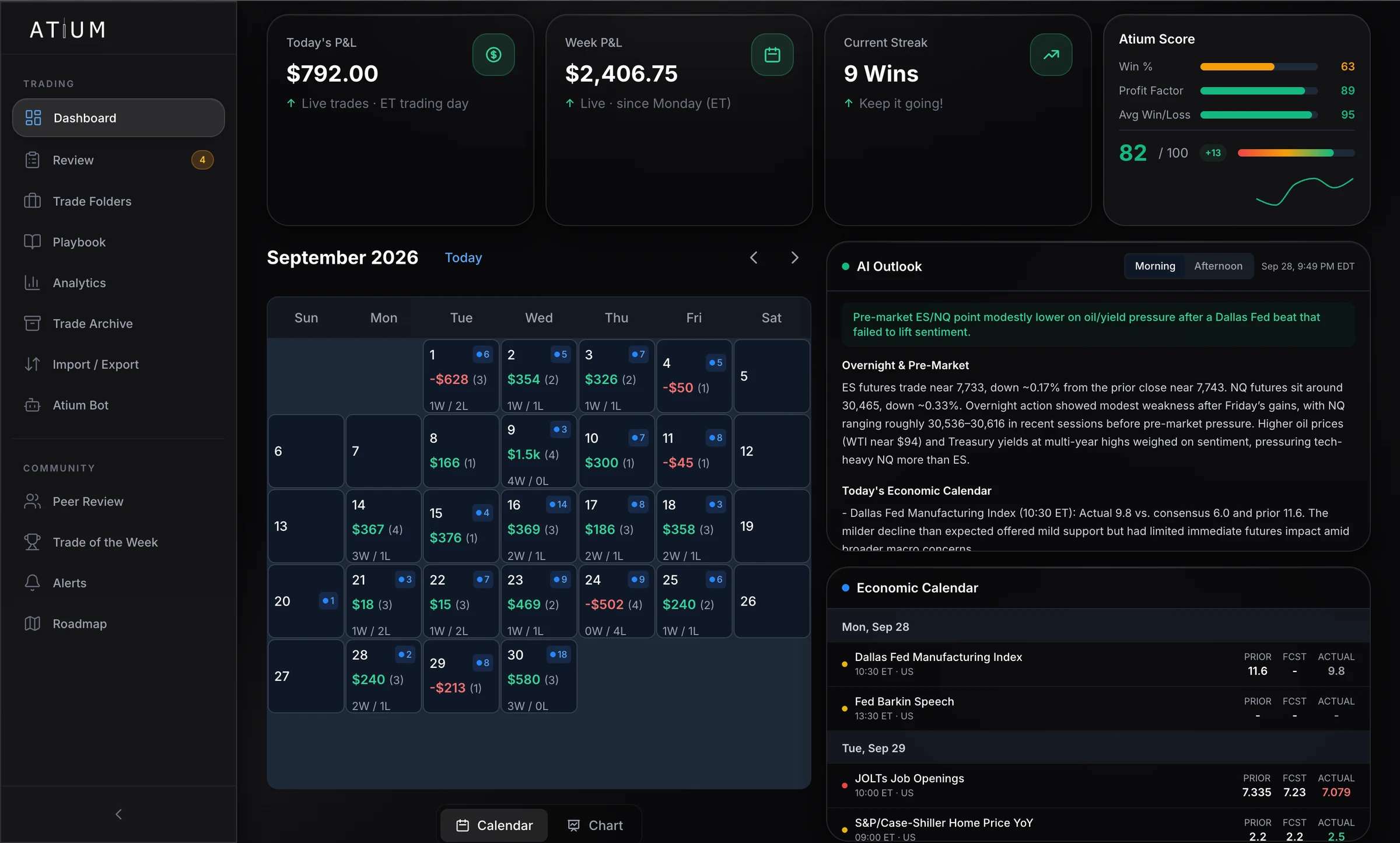
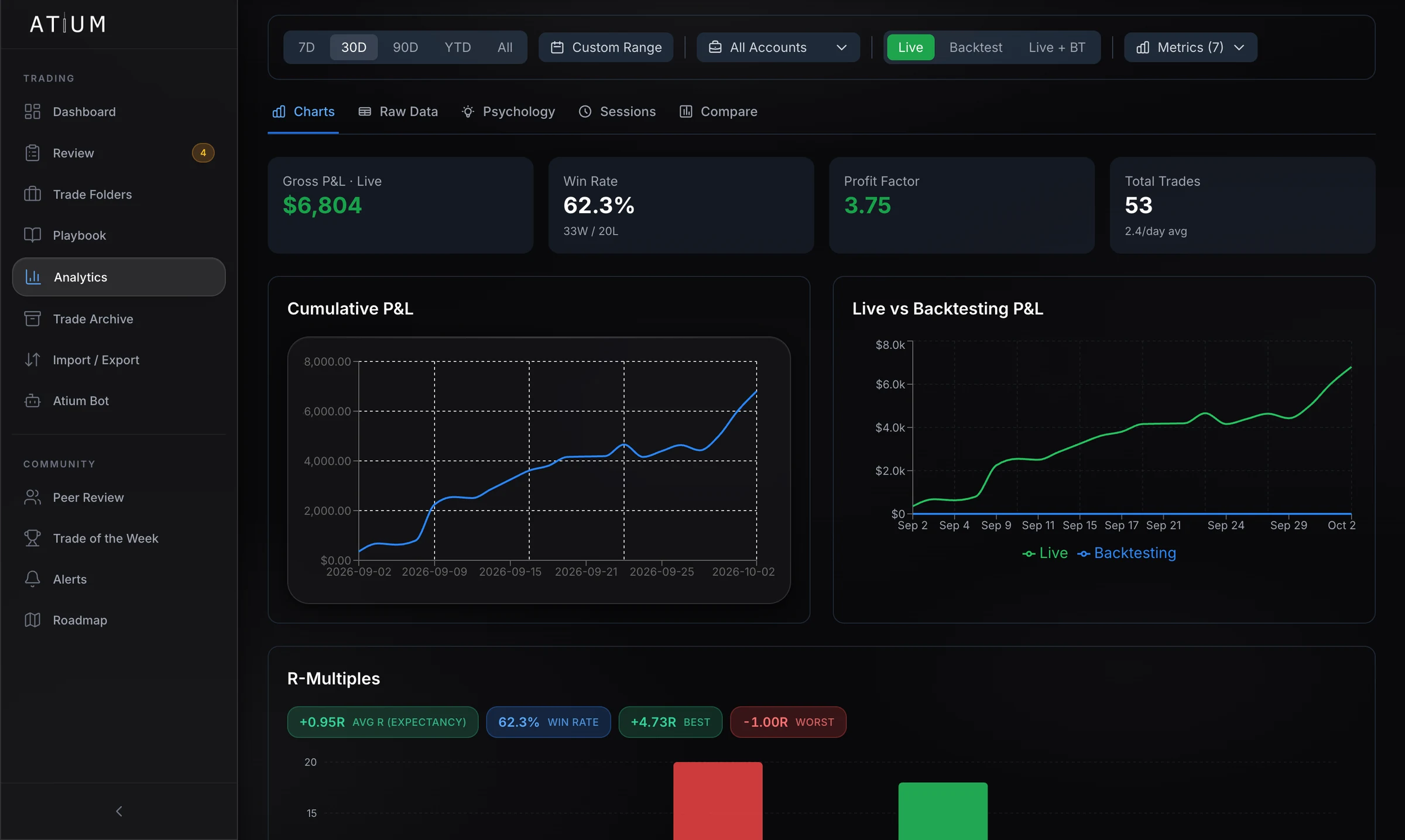
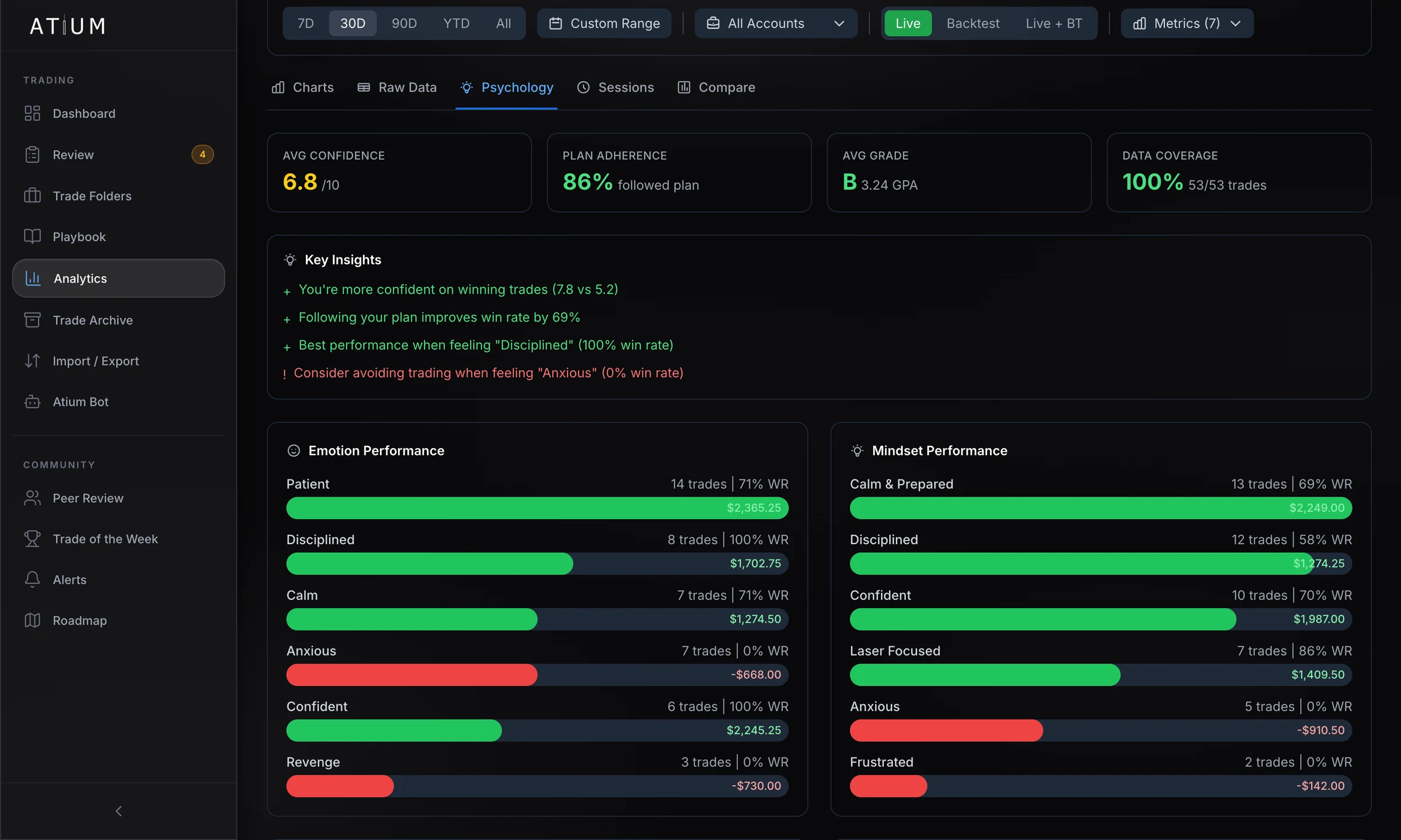
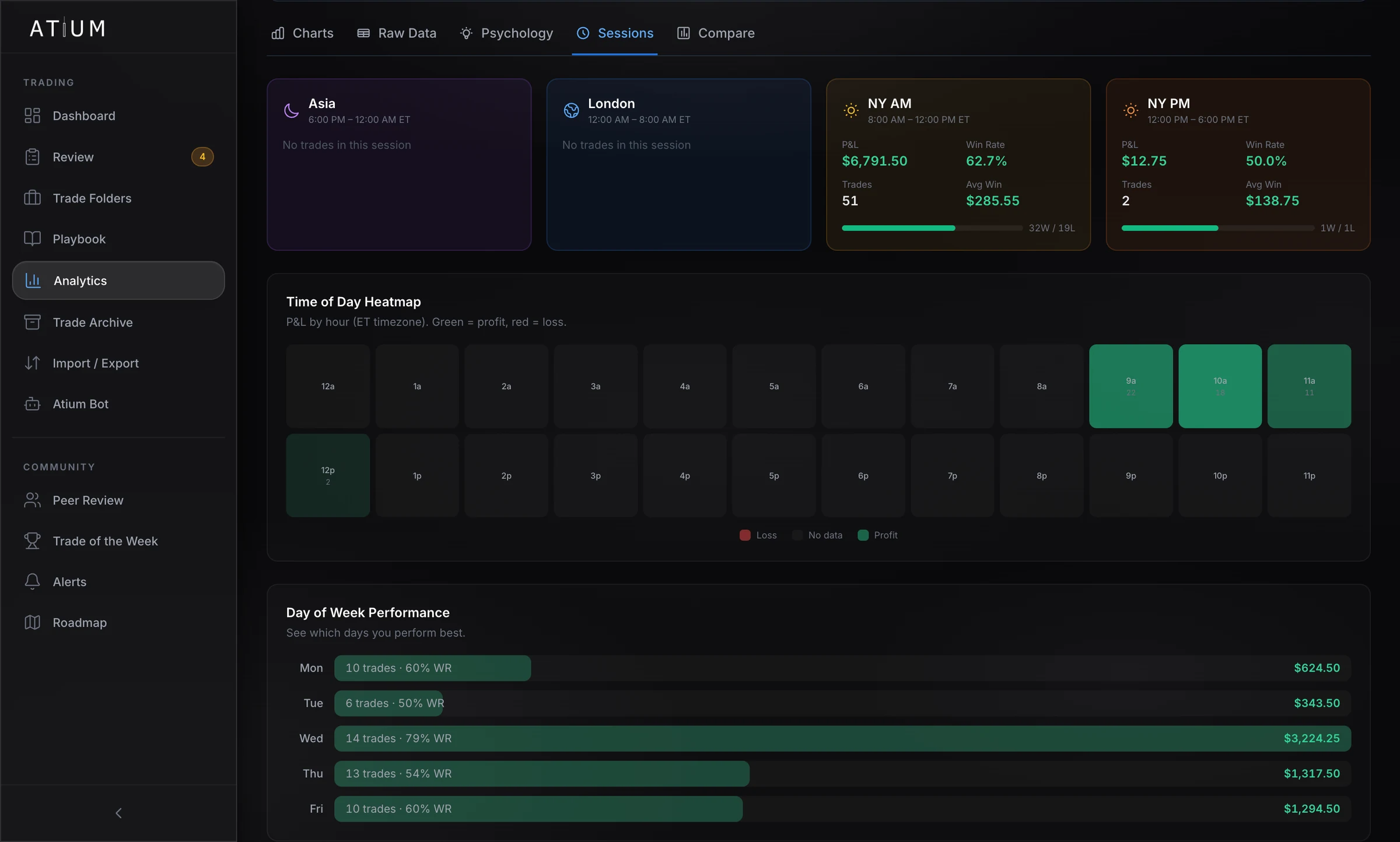
Comparing journals? See how Atium stacks up against TradeZella, TraderSync, Edgewonk and Tradervue on features and price, including where we don't win.
Compare AtiumBring Atium Bot along to your next session
Sign up with email or Discord and start your 14-day free trial. A card is required to start, and you pay nothing if you cancel before the trial ends.
Contact
Get in touch
A question, a suggestion, or a bug you'd like fixed? Send a message and we'll get back to you.